

By Linus Van Pelt, Project Manager (with assistance from the World War I Flying Ace)
A terrible storm has struck the neighborhood, leaving Snoopy and Woodstock’s beloved doghouse severely damaged. Lucy, of course, demanded the fastest, most precise, and least expensive solution. To meet this challenge, Charlie Brown, Linus, and the whole gang are pioneering the next generation of construction workflow: AI-Driven Scan-to-BIM.
We’re using a high-tech process to measure the damaged structure and instantly create a detailed 3D digital model for analysis and reconstruction.

Phase 1: Reality Capture – The XGRIDS K1 Scanner
Task Force: Charlie Brown (Scanner Operator), Snoopy (The Model)
Before any construction can begin, we need a precise digital blueprint of the damaged doghouse structure. Forget the tape measure—that takes too long and makes Charlie Brown nervous.
-
The Tool: We used the XGRIDS K1 Handheld Scanner. It’s lightweight (1 kg!) and uses SLAM (Simultaneous Localization and Mapping) technology.
-
The Action: Charlie Brown simply walks around the remaining foundation and damaged walls of the doghouse. The K1’s LiDAR rapidly captures 200,000 points per second, creating a centimeter-accurate, full-color 3D point cloud in real-time.
-
The Output: The K1 saves the data as a standard
.lasor.plyfile—the raw digital footprint of Snoopy’s home.
“That XGRIDS K1 is faster than my security blanket can flutter in a storm. And its real-time processing keeps Charlie Brown from making mistakes.” – Linus
Phase 2: Data Cleanup and Preparation (PointCab Origins)
Task Force: Linus (Data Manager)
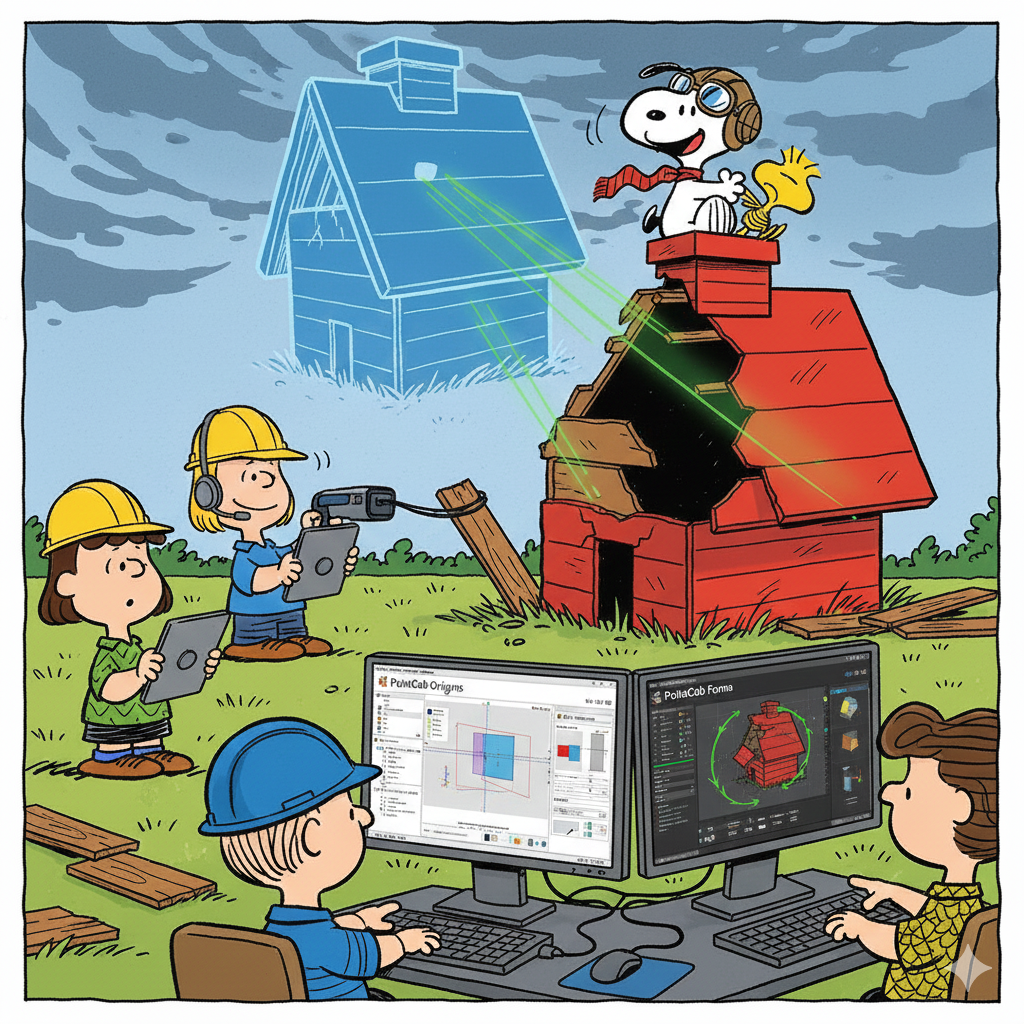
The raw data from the scanner is massive and contains noise (maybe a couple of stray baseballs and Schroeder’s piano). We need to clean it up before sending it to the AI.
-
The Tool: PointCab Origins
-
The Action:
-
Linus imports the XGRIDS K1’s
.lasfile into Origins. -
He uses Origins’ filters to remove any moving objects and crops the point cloud tightly around the doghouse’s remaining foundation.
-
He generates a pristine, simplified E57 file for the AI (the bulk model), and saves the PointCab Project (
.pcp) file for precision work.
-
Phase 3: The BIM Skeleton (PointCab 4Revit Plugin)
Task Force: Linus (BIM Coordinator)
We set the stage in Autodesk Revit with the correct foundation lines, levels, and coordinates—the “skeleton” of the model.
-
The Tool: Autodesk Revit and the PointCab 4Revit Plugin
-
The Action:
-
Linus opens a new Revit project and launches the 4Revit Plugin.
-
He connects the project to the
.pcpfile from Phase 2. -
Critical Step: He uses the plugin to Transfer Levels and Align Project Coordinates into Revit. This ensures that every element the AI creates will sit perfectly on the correct foundation plane, preventing errors later on.
-
Phase 4: AI Bulk Modeling (aurivus AI)
Task Force: Peppermint Patty and Marcie (Construction Team)
The bulk of the modeling—walls, basic roof shapes, and any surviving accessories—is instantly generated using AI.
-
The Tool: aurivus AI
-
The Action:
-
The Clean E57 file is uploaded to the aurivus web platform, which automatically classifies all points: floor, walls, beams, etc.
-
In Revit, the aurivus Plugin is used to rapidly place native Revit walls along the classified wall lines.
-
Marcie and Peppermint Patty use the AI-assisted tools to place the remaining door and windows, inheriting the proper heights from the Levels set in Phase 3.
-
Phase 5: Precision and Verification (PointCab 4Revit)
Task Force: Schroeder (Quality Control)
Schroeder, being a stickler for perfection, verifies the AI’s work and adds the custom, complex details like the World War I Flying Ace’s custom-sloped roof line.
-
The Tool: PointCab 4Revit Plugin (used for verification)
-
The Action:
-
Schroeder uses the 4Revit Plugin’s “Orthophoto Overlay” feature to compare the AI-generated Revit model against the high-resolution scan background. He confirms all walls are accurate to the millimeter.
-
For the tricky, sloping roof of the World War I Sopwith Camel (Doghouse), Schroeder uses the “3D Points” tool in the 4Revit plugin to trace the complex geometry directly from the scan data, ensuring a custom-perfect family model.
-
Phase 6: Analysis and Context (Autodesk Forma)
Task Force: Sally Brown (Project Sponsor)
With a perfect digital twin of the “as-damaged” doghouse now complete, Sally can ensure the new design is optimized.
-
The Tool: Autodesk Forma
-
The Action:
-
The final Revit model is sent to Autodesk Forma.
-
Sally runs a Wind Comfort simulation to ensure the new doghouse design can withstand the next big gust better than the old one.
-
She runs a Solar Analysis to ensure Snoopy’s preferred sleeping spot on the roof gets the optimal sun/shade balance.
-
The Final Result
Thanks to the efficient capture of the XGRIDS K1, the precision of PointCab, and the automation of aurivus AI, the Peanuts team finished the digital model in record time. They are now ready to rebuild Snoopy and Woodstock’s home with confidence, knowing the new BIM model is centimeter-accurate and weather-optimized!
Reach out to our team of Sales and Technical experts with any of your workflow questions!
Enjoy our free documents in the links below
SOP Hybrid AI & Plugin Scan-to-BIM Workflow
Hybrid Scan-to-BIM Workflow Diagram
I. Hardware (Reality Capture)
| Product | Type | Function | Link |
| XGRIDS K1 Scanner | Handheld SLAM LiDAR Scanner | Rapidly captures a 3D point cloud of the existing conditions. | XGRIDS LixelKit K1 |
II. Software (Point Cloud Processing & Collaboration)
| Product | Type | Function | Link |
| PointCab Origins | Point Cloud Processing | Registers, cleans, filters, and generates 2D layouts from scan data. | PointCab Origins |
| PointCab Nebula | Cloud Viewer & Sharing | Allows easy visualization, measurement, and sharing of point clouds in a web browser. | PointCab Nebula |
III. AI & Plugins (Automation & Modeling)
| Product | Type | Function | Link |
| aurivus AI | AI Classification & Plugin | Automatically detects and classifies objects (walls, pipes, beams) within the point cloud to accelerate modeling in Revit. | aurivus AI |
| PointCab 4Revit Plugin | Revit Plugin | Establishes the coordinate system and allows for direct, precise modeling of elements from Origins into Revit. | PointCab 4Revit Plugin |
IV. Core BIM & Analysis Platforms
| Product | Type | Function | Link |
| Autodesk Revit | BIM Software | The core platform for creating the final 3D architectural, structural, and MEP models. | Autodesk Revit |
| Autodesk Forma | Conceptual Design & Analysis | Used for site context, environmental analysis (wind, solar, noise), and early-stage design optimization. | Autodesk Forma |


Leave A Comment