

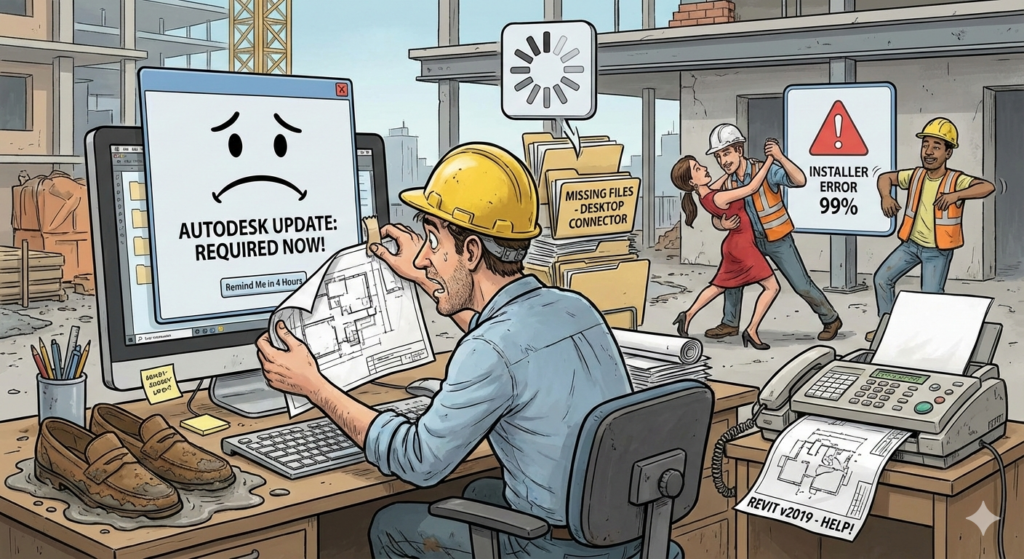
We’ve all been there. It’s Friday at 4:30 PM. You’re about to sync your central model for the last time before the weekend, and suddenly—The Notification appears. Autodesk Access wants to update. You click “Remind me in 4 hours” with the same intensity you use to ignore your check engine light.
We get it. But in the AEC world, ignoring these updates is like trying to finish a site visit in suede shoes—you’re going to regret it eventually.
Whether you’re an IT Admin or a user just trying to keep your Xrefs from disappearing, here is why keeping your Autodesk “plumbing” (Access, Installer, and Desktop Connector) updated is the only way to keep your sanity intact.
1. Autodesk Access: The Bridge (That Doesn’t Require a Toll)
Remember the old Autodesk Desktop App? It was about as reliable as a scale ruler in a digital meeting. Autodesk Access is the sleek, modern replacement, but it only works if you let it.
-
For the Admin: Access allows you to give users the power to update without giving them the “keys to the kingdom” (Admin rights).
-
The Humor: Think of an outdated Access tool like a project manager who still uses a fax machine. It might get the message through, but why are we doing this to ourselves?
-
The Reality: Keeping this updated ensures that when Autodesk drops a hotfix for that bug that’s been turning your stairs into abstract art, you actually get it.
2. The Autodesk Installer: The Engine Room
It feels weird to update an installer. It’s like being told you need to upgrade your shovel before you can dig a hole.
-
Why it matters: Modern Windows updates and Autodesk software engage in a constant, complex dance. An outdated installer is like trying to dance the tango when one partner is doing the Macarena.
-
The Risk: There is no special hell quite like an installation that hits 99% and then rolls back because of an “Internal Error.” Keeping the installer current is your best defense against the “Installation Failed” screen of doom.
3. Desktop Connector: The Sync or Swim Tool
If you’re working in BIM 360 or ACC, the Desktop Connector is the most important piece of software you probably ignore—until it stops working.
-
The “Spinning Wheel of Death”: We’ve all seen it. You’re looking for a file that your colleague swears they uploaded, but your local drive looks like a ghost town.
-
Version Parity: If Joe is on v16.4 and Sarah is on v15.8, they aren’t just working on different versions; they are practically working in different dimensions. This is how “File Not Found” errors are born.
-
Pro Tip: Updates to the Desktop Connector are usually about making the “Cloud” feel less like a mystery and more like a functional hard drive.
The Admin Advantage: Avoiding the 5 PM Support Call
For IT and Autodesk Admins, staying current isn’t about shiny new buttons; it’s about Risk Management. > “An ounce of update is worth a pound of ‘Why is Revit screaming at me?'” — Ancient AEC Proverb (probably).
By managing Autodesk Access properly, you ensure that:
-
Security isn’t a Suggestion: You’re patching holes before the “bad guys” find them.
-
Version Control: You don’t have a “Wild West” scenario where every workstation is running a different build.
-
Blood Pressure Control: Fewer “it won’t sync” tickets means more time for you to actually grab a coffee.
Seiler Design Solution’s Take: Don’t Let the Software Win
We believe your software should be as reliable as a concrete foundation. These core Autodesk components are the digital equivalent of keeping your tools sharp and your site clean.
Our Recommendation: Make it a monthly ritual. Check the versions, run the updates, and maybe treat yourself to a coffee while the progress bar moves. Your future self (and your IT Admin) will thank you.
Tired of playing ‘Whack-a-Mole’ with Autodesk errors? Reach out to SDS Technical team to get your BIM environment running like a well-oiled machine.



Leave A Comment